
Student portal
Use the student portal to access courses, study tools, documents, reminders, and MFU resources.
The student portal is the main workspace for learning activities. After signing in, open My courses to begin.
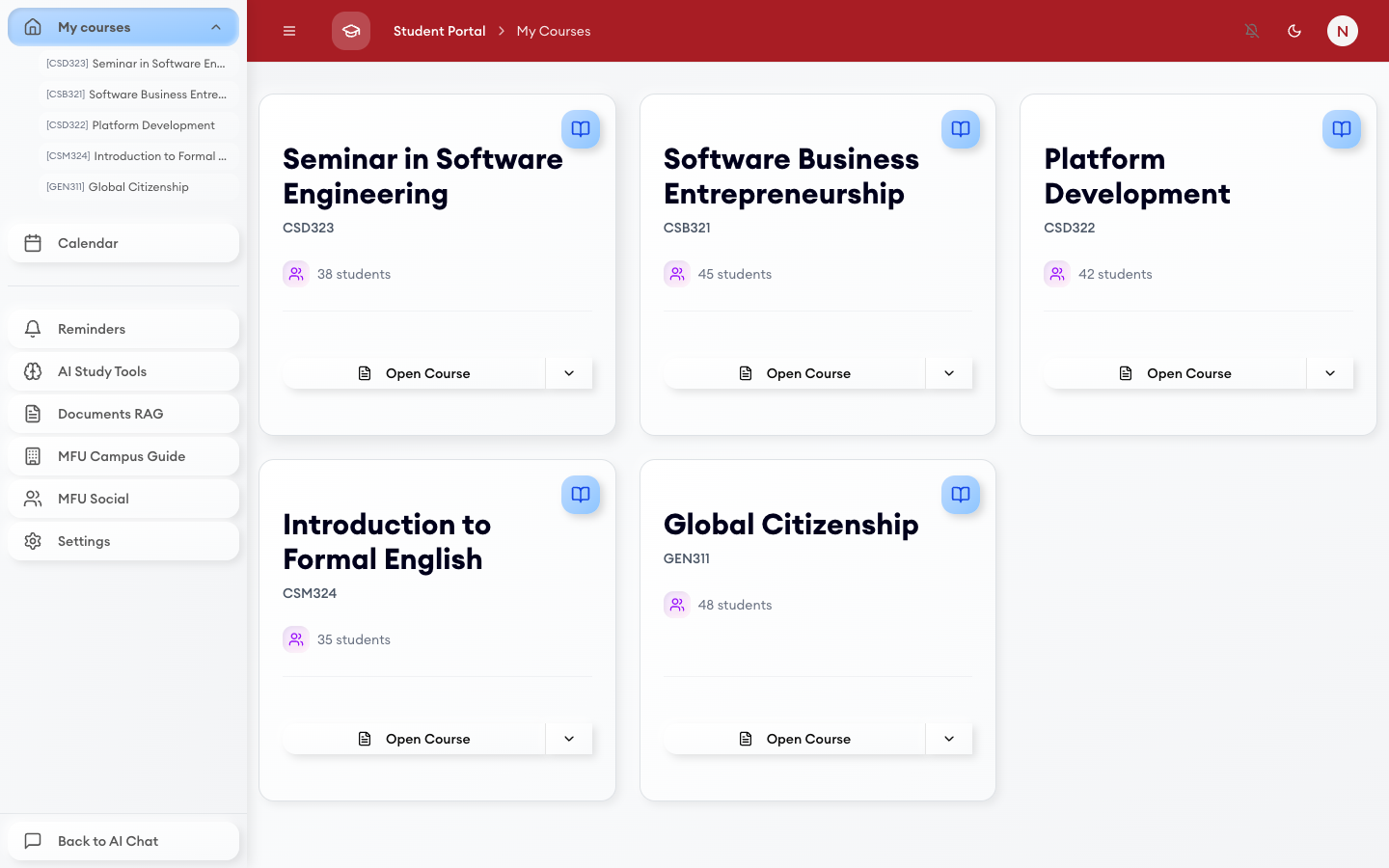
My courses
The course list shows the classes connected to your account. Select a course to open its materials and learning tools. Course-specific pages may include resources, activities, and AI-supported features configured by the teacher.
If an expected course is missing, confirm that you are using the correct account and ask the course teacher to check enrollment.
Calendar and reminders
Use the calendar to review scheduled items and the reminders area to keep track of upcoming work. These tools are organizational aids; always treat the official course syllabus or teacher announcement as the final source for deadlines.
Study and document tools
- AI Study Tools helps you work with summaries, practice questions, and revision activities.
- Documents RAG connects questions with available course materials.
- MFU Campus Guide provides shortcuts to useful university resources.
- MFU Social lists selected campus communities and activities.
Student settings
Open Settings to manage the options available for your profile and interface. Use the sign-out control when working on a shared computer.