
Model and system prompt
Select the course, confirm which model answers, and write the main instruction for the course assistant.
Open Agent Builder. Settings are stored per course, so begin by choosing the course you intend to configure.
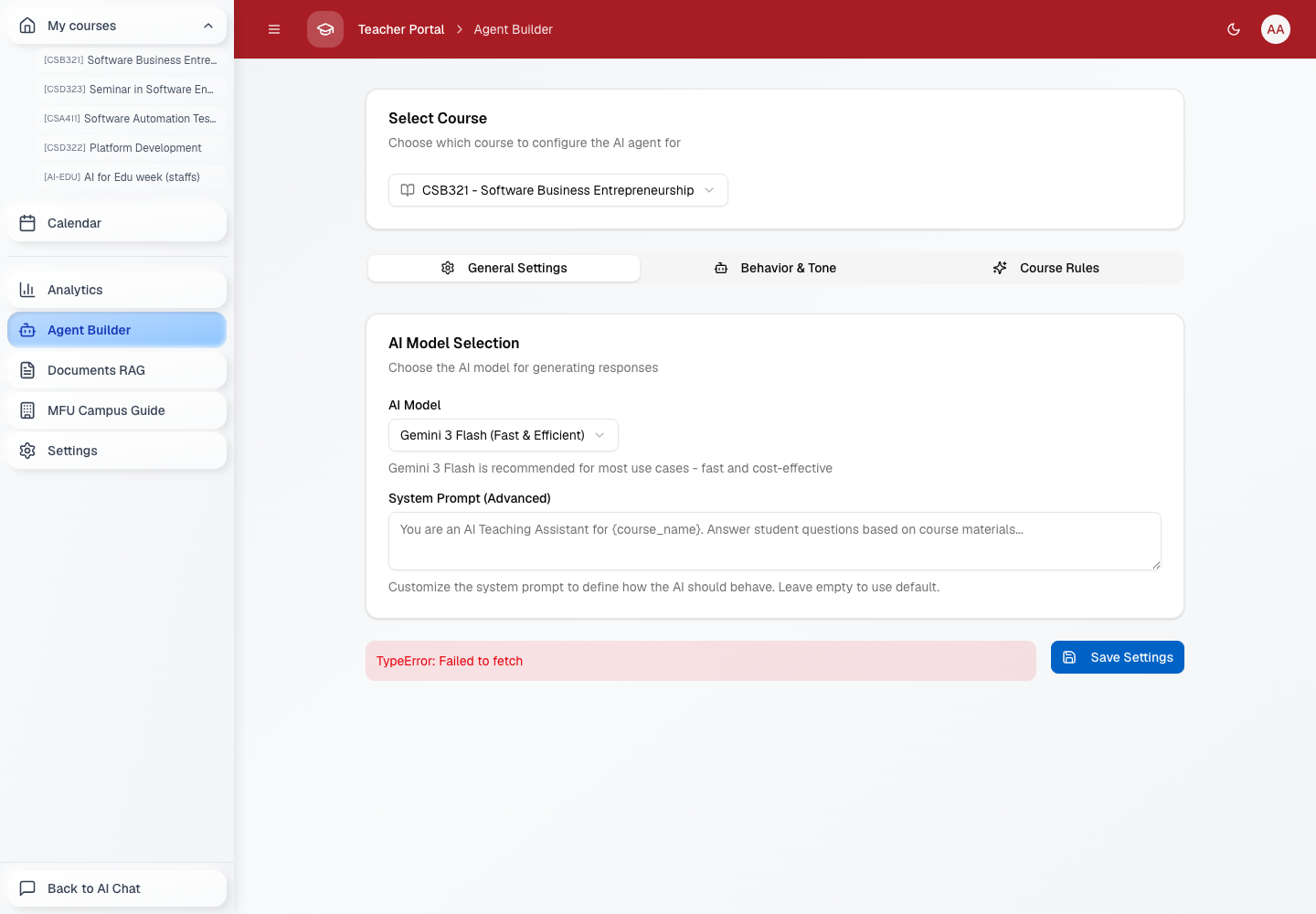
Select the course
Use Select Course and verify both course code and title. When you change the selection, the page loads that course’s saved chatbot settings.
Wait for loading to finish before editing. Saving while another course is selected updates that course, not a global assistant.
Choose an AI model
The current interface offers:
| Model | Intended use |
|---|---|
qwen2.5:7b (local, default) | Fast and private; handles most routine course questions. |
| Larger local model | Better phrasing when latency matters less than quality. |
| Cloud model (if configured) | Useful when the deployment has an API key and privacy rules allow it. |
Availability is controlled by the deployment. Re-test important workflows after changing the model, because output style and detail can differ. See Local AI models.
Write the system prompt
The System Prompt is the assistant’s main behavioral instruction. Leaving it empty uses the platform default. A custom prompt should define:
- Role — the course and kind of teaching support.
- Audience — learner level and expected background.
- Sources — which course materials or FAQs to prefer.
- Method — how to explain, question, or scaffold learning.
- Boundaries — what not to invent or complete.
- Uncertainty — what to say when evidence is missing.
You are the AI teaching assistant for CSD322 Software Testing.
Support second-year students using the course materials and approved FAQs.
Explain one step at a time, use short examples, and ask a checking question after complex topics.
Do not invent deadlines, grades, citations, or course policy.
Do not complete restricted assessments. Offer hints and feedback on the student’s own attempt.
When the available course sources do not support an answer, say so and direct the student to the instructor.
Save the general settings
Select Save Settings and wait for the success message. Then open course AI Chat and run the same small test set you used before the change.
Common prompt problems
| Symptom | Likely cause | Improvement |
|---|---|---|
| Answers are too broad | Purpose or audience is missing. | Name the course, learner level, and task. |
| Policy answers are invented | Source and uncertainty rules are weak. | Require source-backed answers and an explicit “not found” response. |
| The assistant gives assignment solutions | Boundaries are missing. | Require hints, questions, and feedback on attempts. |
| Replies are inconsistent | Instructions conflict or are too long. | Remove duplication and rank the most important rules. |