
Invite and enroll students
Copy a course enrollment link, share it through an approved channel, and verify access before teaching begins.
Each course has a share link that students can use to enroll. Treat the link as course access information and distribute it only to the intended class.
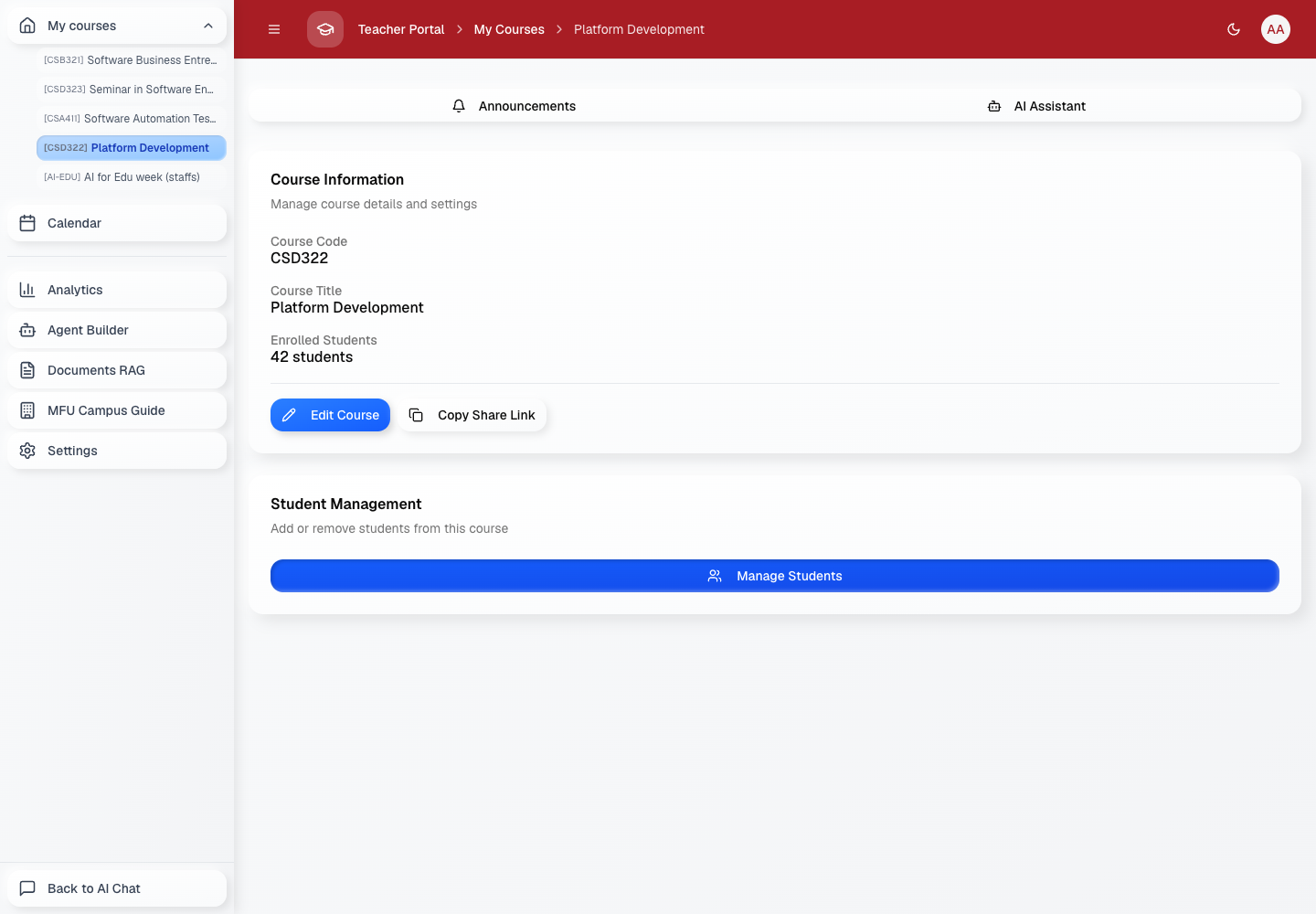
Copy the course link
- Open Teacher Portal → My Courses.
- Open or edit the target course.
- Find Course Share Link.
- Select the copy button.
- Paste the link into the approved class communication channel.
Check the course code before copying. Similar course titles or multiple sections can otherwise lead students to the wrong workspace.
Write a clear invitation
Include:
- course code and title;
- intended class or section;
- enrollment deadline, if any;
- instruction to sign in with the student’s own MFU account;
- a contact route for access problems.
Do not ask students to share passwords or account verification codes.
Verify the student experience
Ask a test student or authorized colleague to open the link before broad distribution. Confirm that the correct course is shown and that the account can reach the expected student workspace.
After enrollment, students should find the course under My Courses and AI Study Tools.
Resolve common problems
The link opens the sign-in page
This is expected for a signed-out user. The student should sign in with the intended MFU account and then open the link again if enrollment does not continue automatically.
The course does not appear after enrollment
Confirm that the student used the correct account, refresh My Courses, and verify that the invitation points to the correct course code.
The link was sent to the wrong group
Stop redistributing it and review enrolled users. Contact an administrator if an unauthorized account gained access and needs to be removed.