
Study with flashcards
Open a course flashcard set, retrieve the answer from memory, reveal it, and move through the set.
Flashcards are available inside a course’s AI Assistant area. Each card shows a question on the front and an answer on the back.
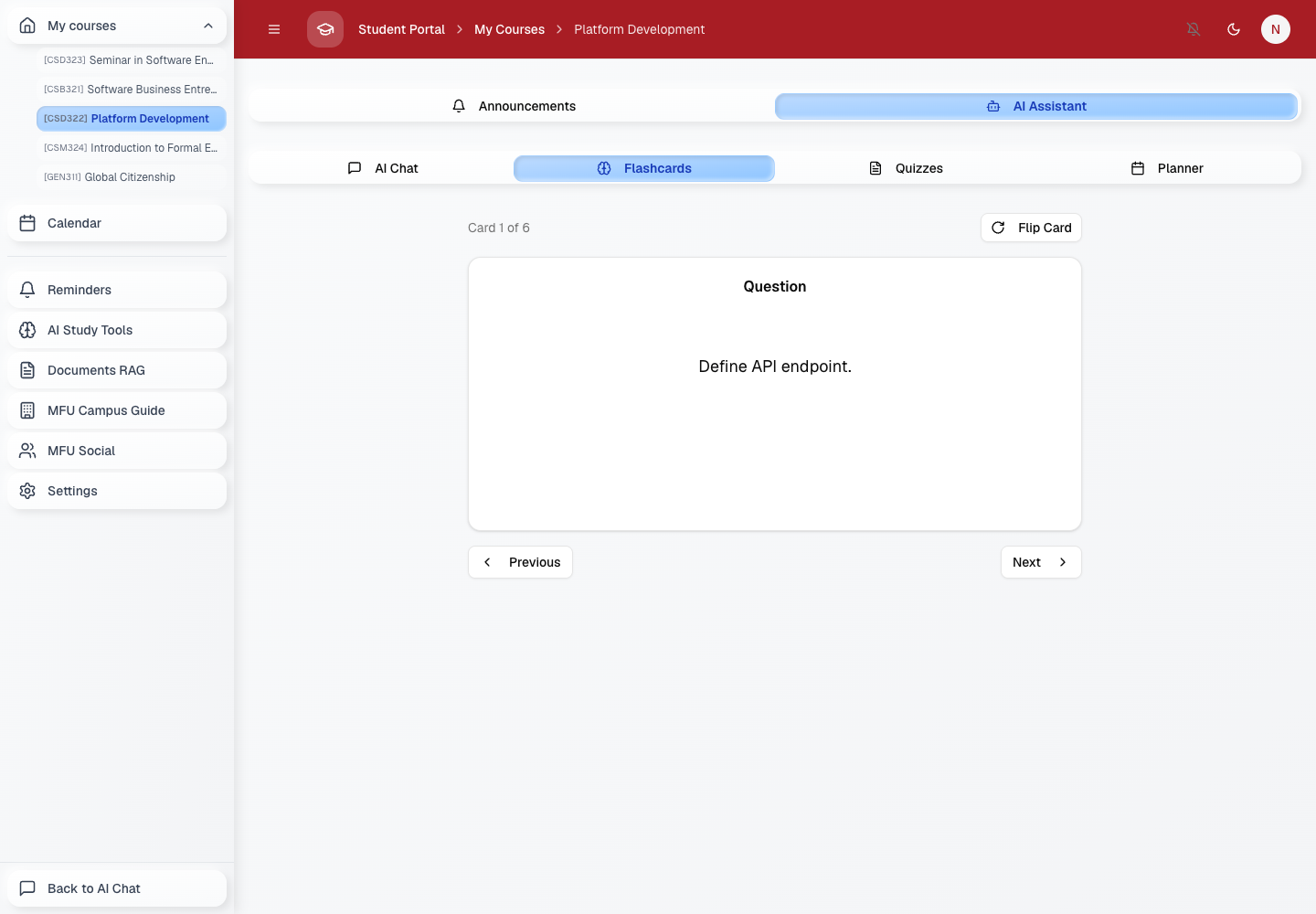
Open the cards
- Open AI Study Tools or My Courses.
- Select the correct course.
- Open AI Assistant.
- Choose Flashcards.
The counter shows your position, for example Card 2 of 12. If no cards appear, none are currently available for this course and account.
Review one card
- Read the Question side.
- Say or write your answer before revealing anything.
- Select the card or Flip Card to display the Answer.
- Compare the meaning, not only the exact wording.
- Use Next or Previous to move through the set.
Moving to another card returns it to the question side.
Use active recall
Avoid flipping immediately. Give yourself enough time to retrieve the idea, formula, sequence, or definition. When an answer is partly correct, identify the missing element before continuing.
I missed the difference between correlation and causation. Explain the distinction in two sentences, then ask me for a new example.
Build a review cycle
- First pass: answer every card without notes.
- Second pass: revisit the cards you could not explain clearly.
- Final pass: connect two related cards in your own words.
Flashcards support recall but do not replace problem solving, source reading, or instructor feedback.
No flashcards yet
The empty state means the selected course has no flashcards available to you. Confirm the course selection, then ask your teacher whether a set will be added. You can still use AI Chat to request temporary self-check questions.