
AI study tools
Turn course topics and available materials into useful activities for review and practice.
Open AI Study Tools from the student portal. The page first shows the available tools, then asks you to select one of your enrolled courses. The course workspace opens with AI Chat, Flashcards, Quizzes, and Planner.
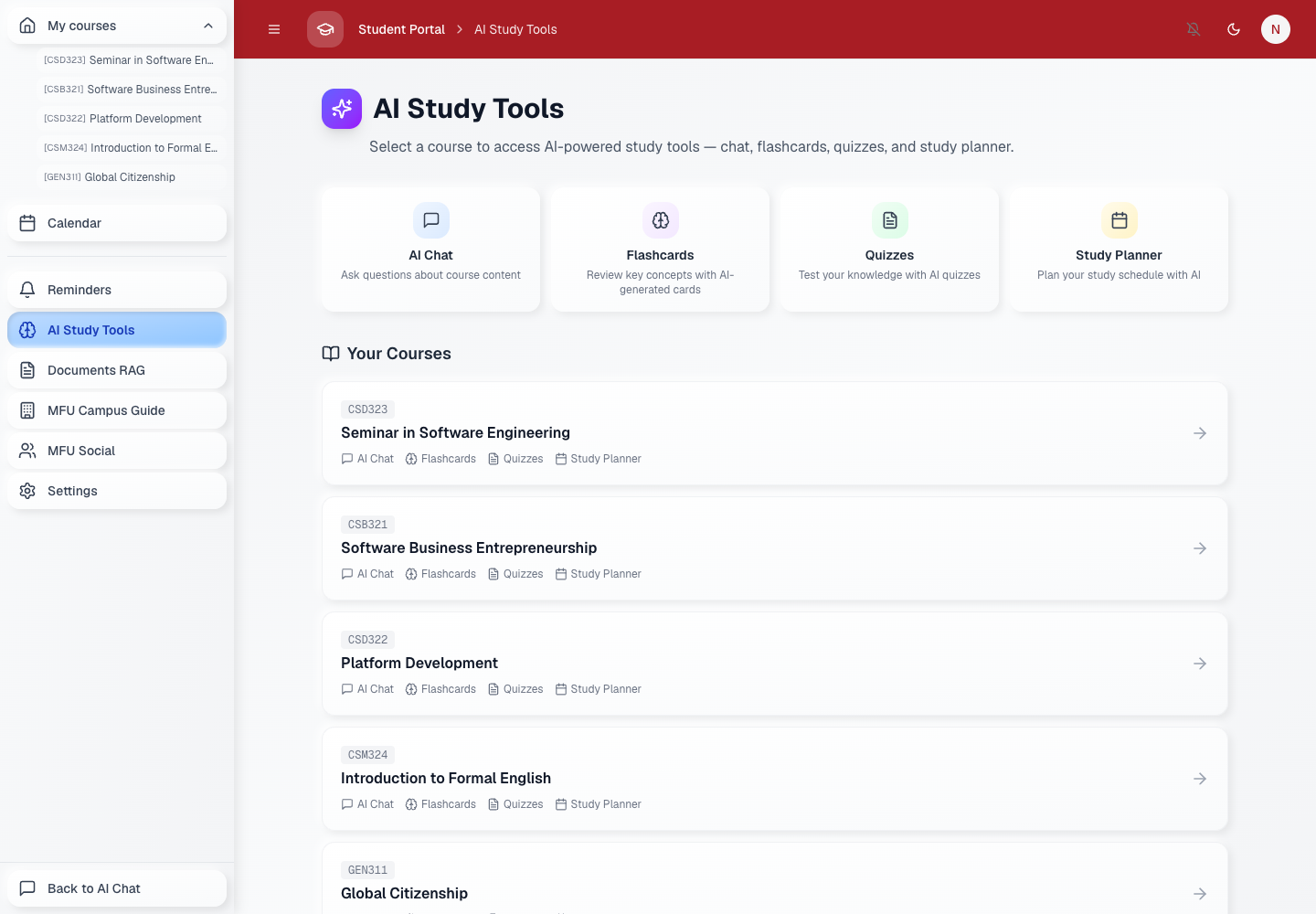
Open a course tool
- Select AI Study Tools in the student sidebar.
- Check the four tool cards at the top of the page.
- Under Your Courses, select the course you want to study.
- Open AI Assistant in the course workspace.
- Choose AI Chat, Flashcards, Quizzes, or Planner.
If no courses are listed, enroll in a course or ask the teacher to verify your access.
Choose a study goal
Start by deciding what you need to accomplish:
- Understand a difficult concept.
- Condense a topic into revision notes.
- Practice retrieving information with flashcards.
- Test understanding with questions.
- Create a short study plan before an assessment.
Generate useful material
Select the relevant course or source material when that option is available. Describe the difficulty level, scope, and output you want.
Create 10 short-answer questions from Topics 2–4. Mix definitions with application questions and put the answer key at the end.
Study actively
Generated material is a starting point, not the entire study process. Try answering before revealing solutions, explain concepts in your own words, and return to the original course material when something appears inconsistent.
Keep the scope manageable
Smaller requests usually produce better results. Work with one lecture, topic, or learning objective at a time instead of asking for an entire course in one response.